
Email verification is the cheapest insurance in outbound and the step most teams skip. A single bad send can cost you the sending reputation that determines whether the next six months of email reaches an inbox at all.
This is the practical version: what each verification technique actually checks, what bounce rate is genuinely safe, what verification costs per email, and what to do about catch-all domains.
Why bounce rate is the metric that compounds
Every other outbound metric is linear. Bounce rate is not — it degrades the domain reputation that gates all future delivery, so the damage carries forward.
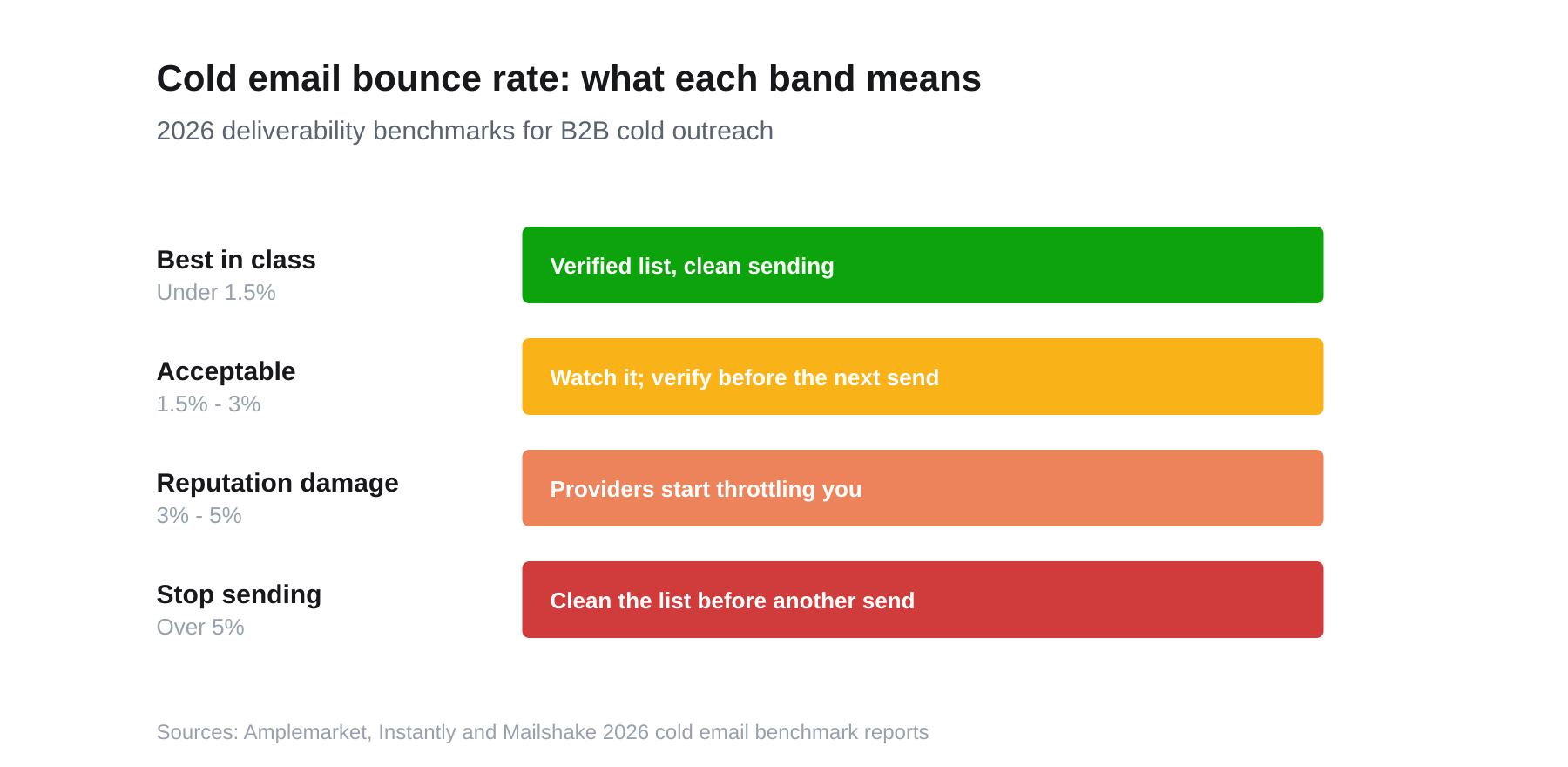
2026 cold email deliverability bands. Above 5%, the correct action is to stop and clean the list, not to keep sending.
The 2026 benchmarks are stricter than most teams assume:
- Under 1.5% — best in class. Achievable only with a verified list.
- Under 3% — the generally accepted ceiling for a healthy cold campaign.
- Over 3% — measurable reputation damage; providers begin throttling.
- Over 5% — stop sending entirely and clean the list before the next send.
For context, the average bounce rate across all senders sits near 5.1%, while well-maintained lists stay under 1.5%. That gap is almost entirely a verification gap.
The verification ladder
Verification is not one check, it's five, in increasing order of cost and confidence.
1. Syntax validation
Does the address parse as a valid email? Catches typos (jhon@, user@gmail,com), malformed domains, and illegal characters. Free, instant, and catches a surprising share of hand-entered list rot.
2. Domain and MX record check
Does the domain exist, and does it publish mail-exchange records? This catches:
- Dead companies whose domain lapsed
- Typo'd domains (
@gmial.com) - Domains that never accepted mail
Also free, and it eliminates a whole class of guaranteed bounces before you spend a cent on paid verification.
3. Disposable and role-account detection
Two different flags that both matter:
- Disposable domains — throwaway inboxes from temporary-mail services. Almost always worthless in B2B.
- Role accounts —
info@,sales@,support@,hello@. These are real, deliverable mailboxes, which is exactly why naive verifiers pass them. They are not a named decision-maker, they're often a shared queue, and they skew reply data.
A good verifier flags role accounts separately rather than marking them valid.
4. Mailbox-level (SMTP) verification
The strongest check: open a connection to the receiving mail server and ask whether that specific mailbox exists, without sending anything. This is what separates "probable" from "verified."
It is also increasingly unreliable through no fault of the verifier — major providers now deliberately obscure mailbox existence to defeat exactly this technique. A verifier that claims 99%+ mailbox confirmation across all domains is overstating what the protocol still permits.
5. Catch-all handling
A catch-all domain accepts mail to any address, so asdkjh@company.com returns the same "valid" as the CEO's real address. Catch-alls are common in mid-market and enterprise companies.
Your options, in order of preference:
- Segment them separately and send to them at lower volume from a secondary domain.
- Cross-check the address pattern against a known-good address at the same company.
- Use engagement as verification — send a low-risk first touch and treat opens/replies as confirmation.
- Never treat a catch-all "valid" as equivalent to a confirmed mailbox. It is an unknown wearing a green checkmark.
What verification actually costs
Verification is priced per email and is cheap enough that skipping it is never a cost decision. Published rates as of September 2026:
| Provider | Entry pricing | Rate at volume | Notes |
|---|---|---|---|
| MillionVerifier | $37 / 10k | ~$0.00055/email at 1M | Cheapest at scale; credits don't expire |
| NeverBounce | $10 / 1k | $0.003/email at 1M | $0.008/email under 10k |
| ZeroBounce | $0.008–$0.02/email | ~$0.0035/email at 100k | $99/mo for 25k on the ONE plan |
At those rates, verifying a 5,000-contact list costs roughly $18–$40. A single reputation-damaging send costs considerably more than that.
What causes bounces besides bad addresses
Verification fixes the largest cause of bounces, not the only one. If your bounce rate stays high on a verified list, look at these:
- Spam traps. Recycled addresses that once belonged to real people and are now used to catch senders with stale lists. A verifier cannot reliably detect them, because they accept mail. The defence is list hygiene and age, not verification.
- Greylisting. Some servers reject the first delivery attempt from an unknown sender and accept the retry. A properly configured sending platform handles this; a homemade script often doesn't, and logs it as a bounce.
- Reputation-based blocks. Once your domain is flagged, servers reject mail regardless of address validity. This is the compounding damage the threshold chart above is about.
- Aggressive filtering on the recipient side. Large enterprises run gateways that reject cold mail wholesale. The address is real; the policy isn't about you.
- Sending infrastructure problems. Missing SPF, DKIM, or DMARC records make you look like a spoofer. These are DNS records you set once — and the single cheapest deliverability fix available.
Hard versus soft bounces
The distinction matters for what you do next:
- A hard bounce is permanent — the mailbox doesn't exist. Remove the address immediately; re-sending to it is what drives reputation damage.
- A soft bounce is temporary — a full mailbox, a server outage, greylisting. Retry a limited number of times, then treat it as hard.
Most platforms lump both into one number. Split them before you diagnose anything, because a 4% bounce rate that's all soft bounces is a very different problem from 4% hard.
A workflow that holds up
For a list you did not source yourself:
- Deduplicate first. You pay per address; don't pay twice for the same person.
- Run syntax and MX locally to strip the free wins before paid verification.
- Strip role accounts into their own segment rather than deleting them — they're useful for support-led outreach, just not for named prospecting.
- Run paid verification on what remains.
- Segment by result: valid → main sequence; catch-all → secondary domain, lower volume; unknown/risky → hold; invalid → delete, don't "try anyway."
- Re-verify anything older than 90 days. At 2.1% monthly decay, a quarter-old list has already lost about 6% of its deliverability.
- Watch the live bounce rate and stop the campaign at 3%, not at 5%.
What not to do
- Don't send to an unverified purchased list to "test the quality." That test costs you your domain.
- Don't treat one verifier's "valid" as gospel — providers disagree, particularly on catch-alls.
- Don't verify once and consider it done. Verification is a recurring cost, like any other freshness problem.
Verify at the source instead
The whole workflow above exists because most contact data arrives unverified and you're retrofitting confidence onto it. The alternative is sourcing contacts that carry a verification status from the start.
Adamlead runs the deterministic ladder — syntax, domain and MX, disposable and role-account detection — on every contact continuously, and shows a status (verified, probable, unverified) with a 0–100 confidence score on the record rather than a binary checkmark. You can run the same checks on any single address free with the email verifier, or see what's on file before signing up.
For the broader picture on why lists decay in the first place, read what is contact data.
Bounce benchmarks: Amplemarket, Instantly and Mailshake 2026 cold email benchmark reports. Verification pricing checked September 2026.