When I think "design tools" I think Figma and maybe a color picker.
October's list is wider than that. In the first 18 days of the month, Junior picked up 36 design tool launches from Product Hunt. They include a circuit board designer, a wire harness tool, a 3D city builder and a resume builder.
The other surprise: how many are open source. Four of the top fourteen are free and open, and one more charges $9.99, once.
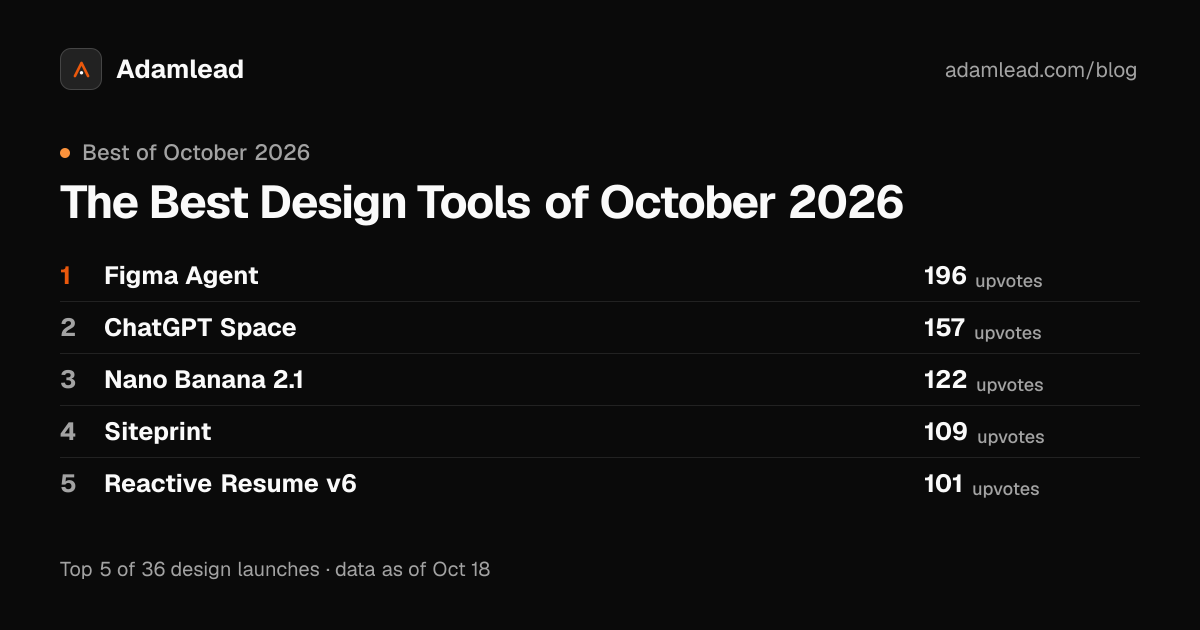
Here are the ten with the most upvotes, what each does, and who it's for.
1. Figma Agent
196 upvotes, #6 on October 7
Figma's agent lives on the design canvas, and it works with your real components, variables and team files, not flat images.
You can generate layout directions, bulk-edit across screens, turn comments into changes, and build prototypes from a prompt. It pulls context from Notion, Slack, GitHub and Linear over MCP. You can save repeatable workflows as skills, and build your own plugins and shaders.
Who it's for: product design teams already in Figma. Which is most of them.
The "real components, not flat images" part is the whole point. An AI design that ignores your design system is just a mockup someone has to rebuild.
2. ChatGPT Space
157 upvotes, #6 on October 4
A shared canvas in ChatGPT. You add links, files and ideas to build up context, then work with ChatGPT to turn them into plans, docs, apps and more, with your team in the same place.
Who it's for: teams who already plan in ChatGPT and want everyone working from the same context.
3. Nano Banana 2.1
122 upvotes, #11 on October 7
Google's latest image generation and editing model. Google says it beats earlier Nano Banana models across the board: better visual design, mask-based editing, stronger subject consistency, more natural images and better text. It supports Search grounding at 1K, 2K and 4K. You can try it in Google AI Studio.
Who it's for: designers and marketers making a lot of images who need the product or character to stay the same across all of them.
4. Siteprint
109 upvotes, #9 on October 5 · siteprint.app
A Safari extension for Mac that measures the design of any web page: colours and their roles, type scale, spacing, corners and layout.
Then it gives you all of that as one exact prompt for Claude Code, Cursor or Codex. It runs on your Mac. $9.99, once.
Who it's for: developers who build with AI and are tired of explaining what "make it look like this site" means.
My favourite on the list. It does one thing, and it has an actual price.
5. Reactive Resume v6
101 upvotes, #10 on October 5
A free and open-source resume builder that's been around for six years. Version 6 adds matching cover letters and job tracking to resumes, in one redesigned workflow. There's AI, a lot of customisation, and sharing and collaboration. You can self-host it.
Who it's for: job seekers who want a good resume without a subscription.
6. Scumble
100 upvotes, #13 on October 6
A free, open-source desktop editor for AI inpainting.
Select part of a picture, say what belongs there, and the result lands as its own colour-matched layer. It runs on your own ComfyUI setup or your own API keys, with models like FLUX 3, GPT Image and Nano Banana.
Who it's for: illustrators and photo editors who want inpainting with layers, not a single "generate" button.
7. OpenVids
96 upvotes, #11 on October 9 · openvids.ai
An open-source video editor for macOS and Windows that you run by chatting with AI agents. You describe the film, and agents cut the timeline, add motion and sound, and review the render.
Who it's for: founders and small teams who need videos and don't want to learn an editor.
8. siliXon
96 upvotes, #11 on October 15 · silixon.com
Describe a device in plain English, and siliXon takes it all the way to a circuit board you can order.
Their design agent, Rocky, asks what it needs to know, then picks real components you can buy, places them, draws the schematic and routes the board. You can edit in 2D and 3D, or just ask Rocky.
Who it's for: people with a hardware idea who aren't electrical engineers. And engineers who want a head start.
9. Anthroposcaper
95 upvotes, #15 on October 2
Draw a 2D plan in the browser (or import a DXF), tag its faces and lines, and get a textured 3D urban environment.
You turn your own 3D models into templates, and it lays them along every matching edge, corners and junctions included. Change a tag and the scene rebuilds. Export to GLB for your 3D editor or game engine. It also connects to AI agents over MCP.
Who it's for: game developers, architects and anyone who needs a city block that isn't hand-placed.
10. Maildun for Mac
92 upvotes, #9 on October 10 · maildun.com
An email builder for macOS. Design by hand in a drag-and-drop editor, or connect Claude, ChatGPT, Gemini or Grok with your own API key. The AI edits your design live, as a proposal you accept or reject.
There's a built-in MCP server, so Claude Code, Codex or Cursor can create and edit emails too. Workspaces per client and brand kits make it agency-friendly.
Who it's for: agencies and marketers who send a lot of branded email.
"A proposal you accept or reject" is a good detail. The AI doesn't overwrite your work.
Four more worth a look
- CirclePanel (92 upvotes) is an end-to-end user research platform: plan, recruit and analyse studies in one place.
- HarnessHive (91 upvotes) is a design tool for wiring harness engineers: schematic, layout, bill of materials and a to-scale formboard in one live document.
- Dots UI (91 upvotes) is a React library of 171 morphing particle shapes for loaders, controls and animated states.
- OpenFlowKit 2 (86 upvotes) is a free, MIT-licensed diagram canvas. Draw it, write it as Mermaid or D2, ask an AI, or let Claude Code edit the canvas you have open. No account needed.
What October is telling us
Open source is back in design.
Reactive Resume, Scumble, OpenVids and OpenFlowKit are all free and open. Scumble even lets you bring your own models. When AI does more of the work, people want to own the tool and pay only for the model.
"Design" now includes hardware.
siliXon designs circuit boards. HarnessHive designs wire harnesses. Anthroposcaper builds 3D cities from 2D plans. A year ago these would have been niche engineering software. Now they launch next to Figma.
Every tool talks to your agent.
Figma Agent, Anthroposcaper, Maildun and OpenFlowKit all work over MCP. Siteprint exists only to give your coding agent better instructions. The design tool isn't the last step anymore. It hands off to the agent that builds the thing.
If you sell to design tool teams
Most of these are small teams who just shipped something in public. A launch is when they're most open to a conversation about growth.
That's why I built Junior (not affiliated with Product Hunt). Each launch comes with the makers behind it, so you know who built it.
The full list
This is the top ten of 36. The full ranked list of October's design tool launches, with makers, is here: The Best Design Tools of October 2026. It updates every morning until the month closes.
Which one would you actually pay for?
Upvotes and ranks as of October 18, 2026. Product details come from each team's own launch description.